AI CAD for
custom 3D parts.
Torrify turns plain English into precise, adjustable 3D models for 3D printing. Try it instantly in your browser at app.torrify.org and build brackets, jigs, shop helpers, pottery tools, organizers, and one-off replacements with free access (currently 2 calls per minute and 10 calls per hour).
Unlike text-to-mesh tools, Torrify creates editable parametric geometry so you can refine fit, thickness, and dimensions instead of starting over.
Pro can be used in the desktop app or web app by supplying your license key.
Text to CAD
"Make a customized box for my playing cards." The AI builds the geometry and keeps it editable.
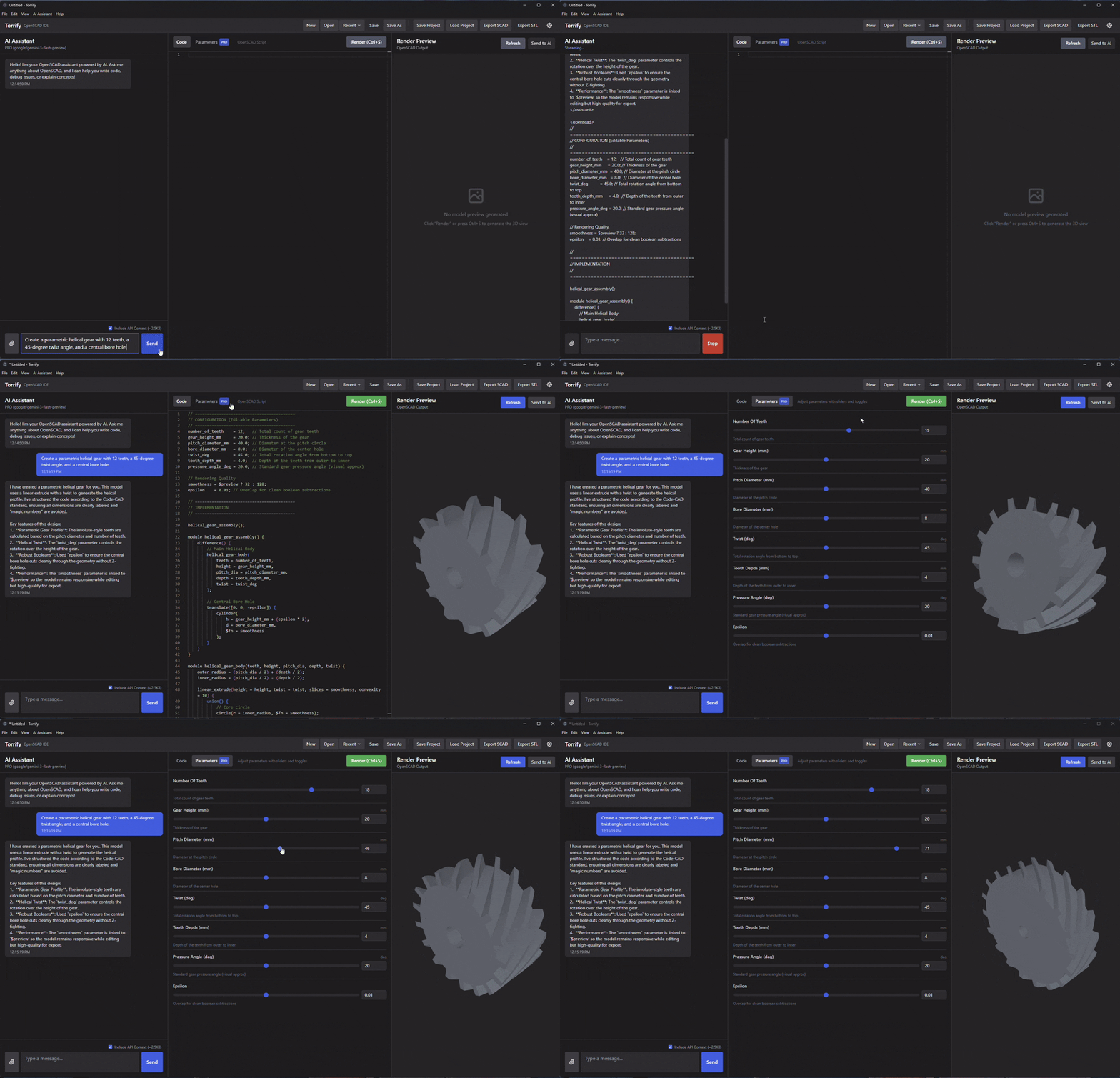
Parametric Output
Unlike static AI meshes, you get real sliders and values to tweak size, thickness, and fit without rebuilding from scratch.
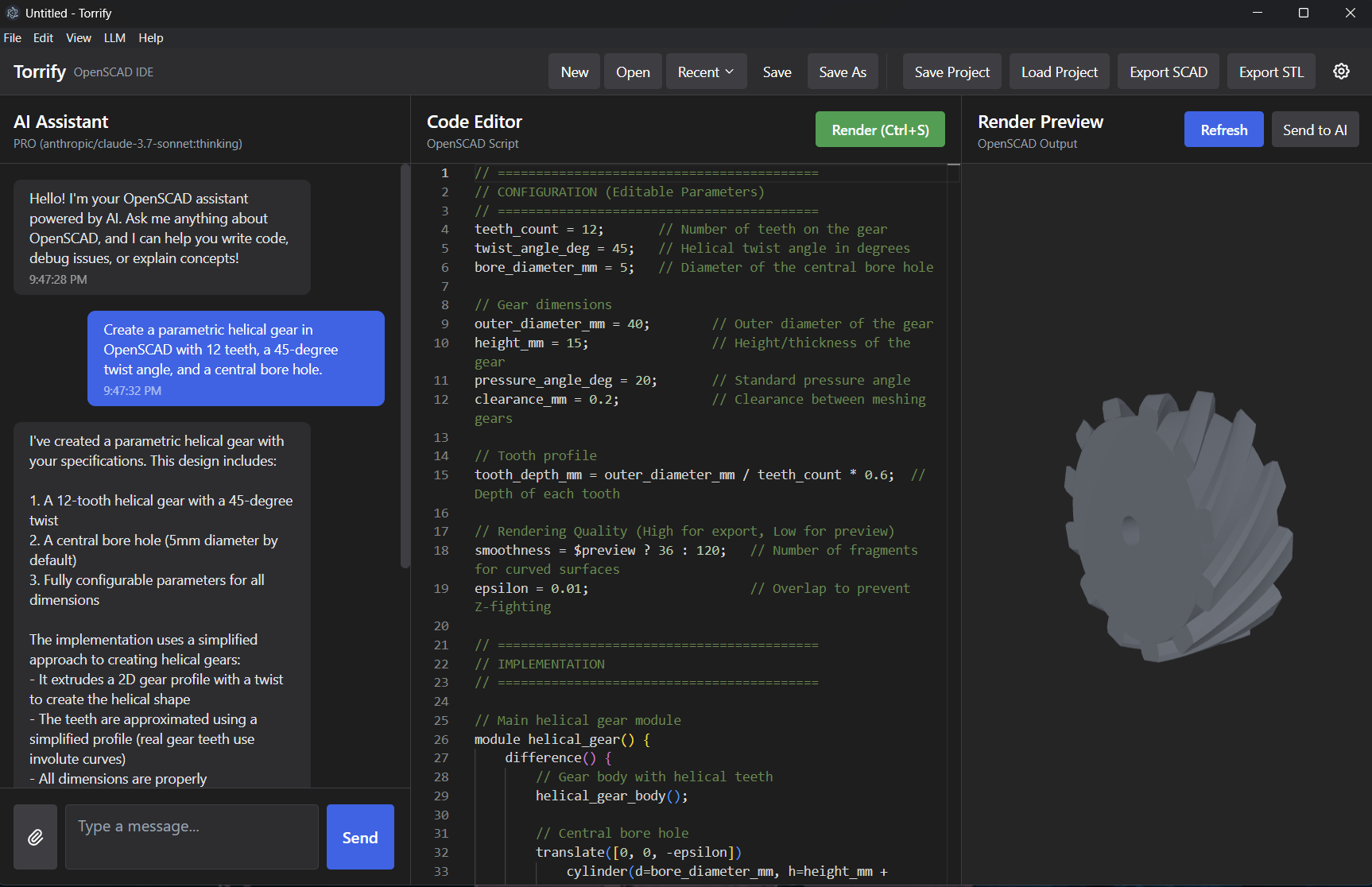
Product demo
See Torrify in Action
Watch how easy it is to describe, preview, and refine your design in real-time.
Features
AI CAD Tools for Fast 3D Printing Workflows
Torrify bridges the gap between an idea and a printable part. You describe what you want, it builds editable geometry you can keep refining.
Smart Design Assistant
Torrify understands 3D design and parametric modeling. The AI assistant builds complex shapes from simple descriptions while keeping the underlying geometry editable.
Fully Adjustable Models
Every Torrify model is adjustable. Tweak thickness, height, diameter, tolerance, and fit instantly using simple values instead of remaking the model.
Pro-Grade Precision
Built on proven CAD backends including OpenSCAD. Your models are code-based, dimensionally consistent, and ready for export to your slicer workflow.
Live 3D Preview
Iterate in real-time. See your changes instantly with a fast 3D renderer and inspect every adjustment before exporting.
Visual Reference
Upload a photo to kickstart your design. Torrify helps transform reference images into clean geometric models without starting from zero.
Smart Fixes
Debugging made easy. Ask for thicker walls, shifted holes, or better fit and Torrify updates the model logic while you stay in the flow.
Why Torrify
Built for people who need real printable parts
If you are searching for AI CAD software, text-to-CAD, or an easier alternative to traditional CAD for simple custom parts, Torrify is designed for that exact workflow.
Better than static meshes
Mesh outputs are hard to tweak. Torrify focuses on parametric models you can adjust after generation for fit, wall thickness, or material savings.
Faster than learning CAD from scratch
Describe the goal in plain English, then refine with chat or values. That makes Torrify approachable for makers, educators, and side projects.
Open workflows, not lock-in
Use the web app, desktop app, supported LLM providers, or a local endpoint. Your design process stays flexible and your outputs remain editable.
Made with Torrify
Designed & Built in Torrify
Case Studies
How it was built
Deep dives into the design process behind real projects created with Torrify.
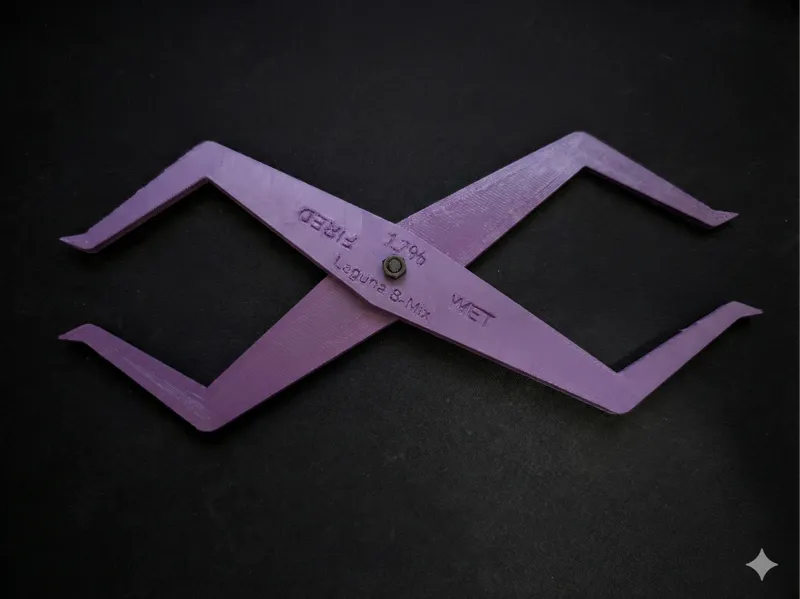
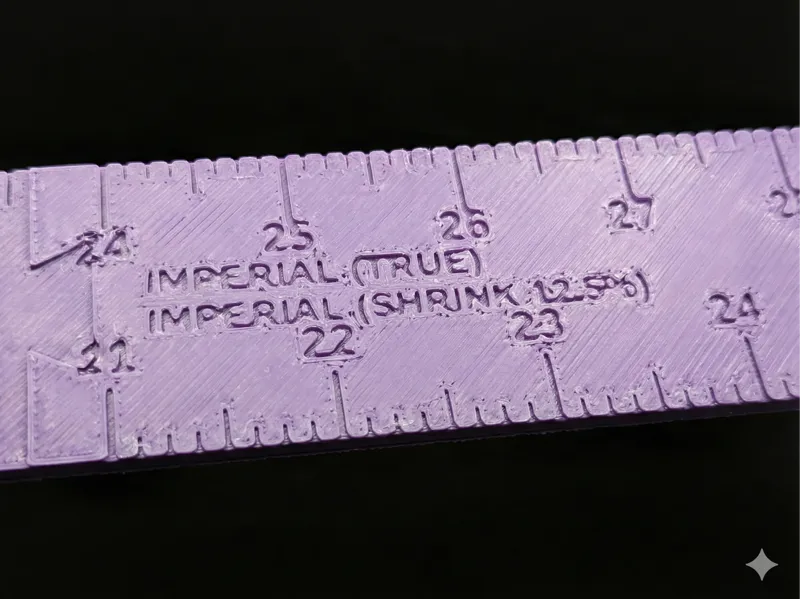
Parametric Pottery Shrinkage Caliper
The Challenge
Ceramics shrink significantly during firing (often 10-15%). Potters need to throw pieces larger than their desired final size, but calculating this mental math constantly is prone to error.
The Solution
A double-ended caliper where one side measures the "wet" dimension and the other instantly shows the "fired" dimension. By adjusting the pivot point ratio, the tool mechanically performs the calculation.
The Process
- Logic First: Defined the pivot point geometry mathematically using the
shrinkage_percentvariable. - Skeleton Design: Used Torrify's live preview to iterate on a lightweight "truss" structure that saves filament and prevents collisions.
- Parametric Export: The final design exposes a single variable, allowing users to generate STLs for any clay body (10%, 12%, 14%) in seconds.
The Workflow
From Idea to STL in Minutes
Torrify removes the technical hurdles of 3D design. No more learning complex software—just focus on what you want to create.
Describe Your Intent
"I need a wall mount for my Dyson vacuum." Torrify interprets your request and drafts the 3D geometry instantly.
Refine & Tweak
Use simple controls or chat to adjust dimensions. Every change is reflected in the live 3D preview.
Export & Print
Download your model or share the project. Your design is ready for the printer in record time.
Try Torrify in your browser
Start free at app.torrify.org with current limits of 2 calls per minute and 10 calls per hour. These limits may change as we scale.
Pro can be used in the desktop app or web app by supplying your license key.
Who is Torrify for?
For Makers, Hobbyists, and Creators
Torrify is built for anyone who wants custom 3D models without the steep learning curve. Describe it, tweak it, and print it.
3D Printing
Design custom parts with a perfect fit. Create models you can adjust in seconds—no engineering degree required.
Ceramics & Craft
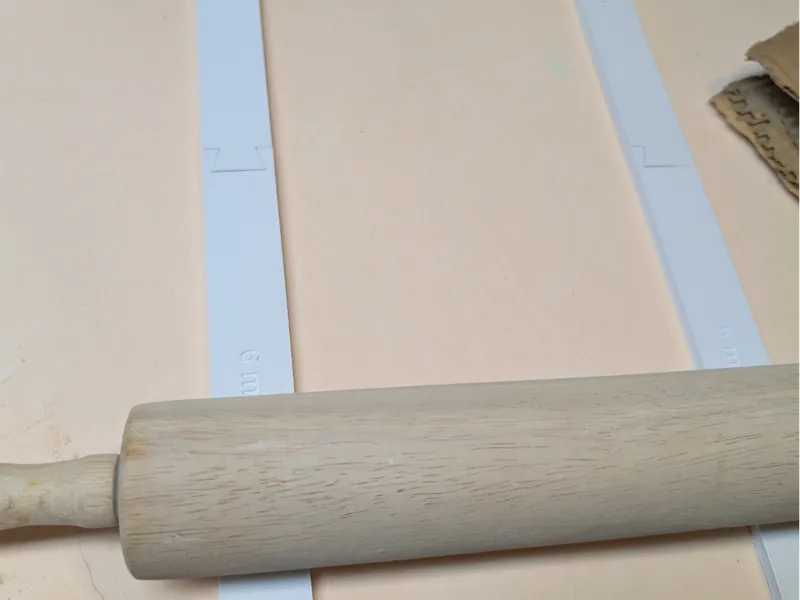
Potters and artists use Torrify for custom rulers, guides, and tools designed for their specific studio needs.
Educators
Teach design and 3D modeling without getting bogged down in complex software commands.
Advanced Users
Experienced designers get AI assistance and faster iteration. Pro adds a visual control panel for even faster tweaks.
Popular part types
Torrify is a strong fit for brackets, holders, organizers, gauges, pottery tools, jigs, spacers, adapters, and custom replacement parts.
Works for browser or desktop
Start in the web app for speed or use the desktop app when you want a local workflow.
Learn the workflow fast
Need setup help or model provider details? The documentation covers installation, AI settings, and feature walkthroughs.
What Torrify helps you do
From text to CAD to printable STL
Search intent match
People arrive looking for AI CAD, AI for 3D printing, text-to-CAD, OpenSCAD AI, and ways to create adjustable 3D printer parts without mastering a full CAD package.
What they get
Torrify gives them a plain-English workflow, parametric outputs, live preview, support for multiple model providers, and a clear path from idea to printable geometry.
FAQ
Frequently Asked Questions
What is Torrify?
Torrify is AI-assisted CAD software for 3D printing that lets you build adjustable models using plain English. You can use it directly on the web at app.torrify.org, or run the desktop app if you prefer local workflows.
Do I need to know how to code?
Not at all. You can design entire objects just by chatting with the AI. While Torrify uses code behind the scenes to ensure precision, you never have to look at it if you don't want to—especially with the Pro version's visual controls.
What are the free web app limits?
Current free usage is 2 calls per minute and 10 calls per hour. These limits may change as the service evolves, but the web app remains the fastest way to test Torrify for text-to-CAD workflows.
How does the AI work?
Torrify uses advanced AI that understands 3D geometry and parametric modeling. You tell it what you need (for example, "a bracket to hold my headphones"), and it writes the instructions to build it. It can fix errors and make adjustments on request. If you already have a Pro license key, add it in Web App Settings.
Torrify vs traditional CAD?
Traditional 3D design tools require complex workflows. Torrify adds AI assistance, live 3D preview, plain-English input, and editable parametric outputs while still letting you edit generated code when needed.
What is different compared to Meshy.ai?
Torrify doesn't require training or fine-tuning—you get better results as new model releases improve. Outputs are parametric (code-based) rather than static meshes, so you can fix minor errors and tweak dimensions with sliders and parameters instead of starting over. No lock-in to a single style; your designs stay editable and portable.
What models are supported?
You can use any compatible LLM via supported APIs: OpenAI, Anthropic, Google Gemini, and OpenRouter (for many models through one key). Torrify also supports a custom endpoint, so you can run a local model (e.g. Ollama or another OpenAI-compatible server) for full privacy and no cloud dependency. Configure your provider and API key in Settings. Docs have the full setup details.
Feedback
Share ideas, requests, or bugs
Help shape Torrify early. Drop feature requests, report issues, or ask for more info.
Contact: hello@torrify.org
•
casey@torrify.org
About the creator
Data Scientist, Maker, and Craftsperson
I operate at the intersection of traditional craft and modern tech, blending ceramics, 3D printing, and DIY electronics with a rigorous, experiment-driven approach.
Read the full bio

I’m a Data Scientist with over 10 years of experience, currently serving as a Principal Data Scientist at Cvent. With a Master’s in Mathematical Statistics, my professional background in data informs my rigorous approach to creative work at the intersection of craft and technology. From hand-built ceramics to parametric design and single-board computing, I love testing ideas until they click. Outside the studio, I’m usually exploring nature around Atlanta, supporting wildlife rehabilitation, or unwinding with games and a great meal on the grill.